
Last updated on
Nov 6, 2026
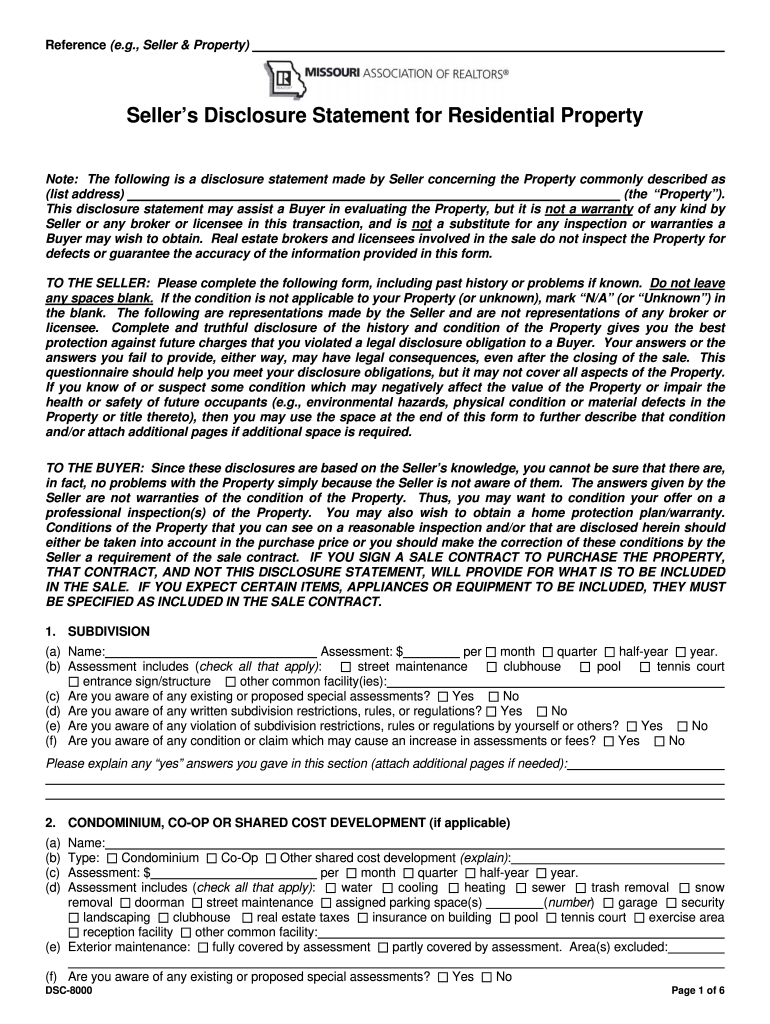
MAR DSC-8000 free printable template
pdfFiller is not affiliated with any government organization

Fill out
Complete the form online in a simple drag-and-drop editor.

eSign
Add your legally binding signature or send the form for signing.

Share
Share the form via a link, letting anyone fill it out from any device.

Export
Download, print, email, or move the form to your cloud storage.
Why pdfFiller is the best tool for your documents and forms


End-to-end document management
From editing and signing to collaboration and tracking, pdfFiller has everything you need to get your documents done quickly and efficiently.
Accessible from anywhere
pdfFiller is fully cloud-based. This means you can edit, sign, and share documents from anywhere using your computer, smartphone, or tablet.
Secure and compliant
pdfFiller lets you securely manage documents following global laws like ESIGN, CCPA, and GDPR. It's also HIPAA and SOC 2 compliant.
What is MAR DSC-8000
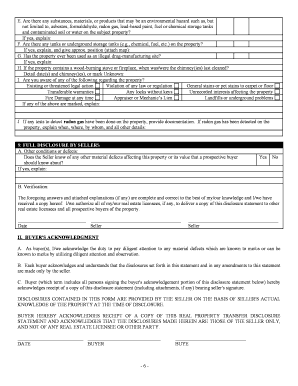
The Seller’s Disclosure Statement for Residential Property is a real estate form used by sellers to disclose the condition and history of a property to potential buyers.
pdfFiller scores top ratings on review platforms




it is very helpful for filing taxes living outside the US
great app
great app. it helped me fill the forms I needed in PDF.
Who needs MAR DSC-8000?
Explore how professionals across industries use pdfFiller.

MAR DSC-8000 is needed by:
-
Home sellers preparing to list a property.
-
Real estate agents assisting sellers in property transactions.
-
Buyers looking to understand property conditions before making an offer.
-
Investors evaluating residential properties for purchase.
-
Legal professionals handling real estate transactions.
Comprehensive Guide to MAR DSC-8000
What is the Seller’s Disclosure Statement for Residential Property?
The Seller’s Disclosure Statement is a critical document in the real estate market, ensuring that potential buyers are informed about the condition and history of a property. This form serves to outline the state of a residential property, including any known issues, repairs, or other pertinent details. A comprehensive template, this residential property disclosure form integrates vital information that can directly impact buyer decision-making.
Typically, the disclosure statement includes sections detailing the property’s condition, improvements made, and known problems related to plumbing, electrical systems, and potential hazards. Having an accurate seller disclosure statement template is essential for both parties in a transaction, bridging the gap between expectation and reality.
Purpose and Benefits of the Seller’s Disclosure Statement for Residential Property
Transparency is fundamental to fostering trust in real estate transactions. The Seller’s Disclosure Statement plays a crucial role by providing potential buyers with necessary insights into a property’s past and current condition. For sellers, this disclosure not only protects against possible future legal challenges but also facilitates smoother negotiations by setting clear expectations.
-
Empowers buyers to make informed decisions based on factual property information.
-
Helps mitigate potential legal disputes that may arise from undisclosed issues.
-
Encourages honest communication between buyers and sellers.
Utilizing a real estate disclosure form PDF can streamline the process and enhance the flow of information in the transaction.
Key Features of the Seller’s Disclosure Statement for Residential Property
The Seller’s Disclosure Statement encompasses various essential components that ensure a thorough understanding of the property being sold. Key features include detailed sections on:
-
Heating and cooling systems
-
Plumbing and electrical systems
-
Presence of hazardous substances
-
Overall property condition history
This document includes numerous fillable fields and checkboxes, designed for ease of use, allowing sellers to provide clear, concise information. The home seller disclosure form must be filled out accurately to avoid potential issues later on.
Who Needs the Seller’s Disclosure Statement for Residential Property?
The primary users of the Seller’s Disclosure Statement are the seller and the buyer. The seller is responsible for completing the form with accurate information to the best of their knowledge. This responsibility ensures that buyers are not met with unexpected surprises once the transaction is finalized.
Additionally, buyers can leverage the insights gained from the seller property disclosure statement to inform their decisions, enriching their negotiation power based on the property’s disclosed condition.
How to Fill Out the Seller’s Disclosure Statement for Residential Property Online (Step-by-Step)
Completing the Seller’s Disclosure Statement is straightforward, especially using pdfFiller. Here’s a step-by-step guide:
-
Access the template on pdfFiller’s platform.
-
Begin filling out required sections, starting with general property information.
-
Provide detailed descriptions of heating and cooling systems, plumbing, and structural conditions.
-
Review the instructions, ensuring no fields are left blank as per disclosure requirements.
-
Save your form for future reference or further editing.
Gather necessary information in advance to facilitate a seamless filling process, ensuring all relevant details are readily available.
Review and Validation Checklist for Sellers
Sellers should use a validation checklist to confirm the accuracy of their completed disclosure form. This checklist should include common areas where errors may occur, such as:
-
Incomplete or ambiguous responses
-
Leaving blank spaces where information is required
It is imperative that sellers follow the guidance provided within the form to avoid any omissions, as fully completed disclosures create a foundation for trust and transparency in the transaction.
Submitting the Seller’s Disclosure Statement for Residential Property
After completing the Seller’s Disclosure Statement, it must be submitted to interested buyers. There are various methods available for submission, including electronic delivery via email or through an online document management system.
Timing is critical—ensure that the form is submitted promptly to avoid any delays that could impact the real estate transaction. Late submissions may lead to complications, like dwindling buyer interest or negative perceptions about the property's management.
Security and Compliance for the Seller’s Disclosure Statement for Residential Property
Security is a top priority when managing sensitive documents like the Seller’s Disclosure Statement. pdfFiller employs state-of-the-art security measures, including 256-bit encryption to safeguard your information. Furthermore, the platform adheres to essential compliance standards, such as HIPAA and GDPR, ensuring that sensitive data is handled securely and privately.
Users can trust that their submitted information remains confidential and secure throughout the document handling process.
Benefits of Using pdfFiller for Your Seller’s Disclosure Statement
Utilizing pdfFiller to create and manage your Seller’s Disclosure Statement provides numerous advantages. The platform simplifies the process through features like:
-
Electronic signing capabilities
-
Convenient document storage options
-
Easy editing tools for modifications as needed
Embrace the flexibility of pdfFiller's cloud functionalities to streamline your real estate documentation process, facilitating a more organized approach to property transactions.
Let’s Get Started with Your Seller’s Disclosure Statement for Residential Property
Initiating the process of completing your Seller’s Disclosure Statement is easy with pdfFiller. The platform offers straightforward access, enabling users to fill out and share their documents seamlessly online. By exploring pdfFiller, you can enhance your experience in managing this essential real estate document effectively.
How to fill out the MAR DSC-8000
-
1.To begin, visit pdfFiller and log in or create an account.
-
2.Search for the 'Seller’s Disclosure Statement for Residential Property' in the templates section.
-
3.Once located, click on the document to open it in the pdfFiller interface.
-
4.Read the introduction to understand the form's purpose and the information needed.
-
5.Gather necessary details about the property, including past repairs, issues, and current conditions.
-
6.Start entering information into each fillable field, ensuring accuracy and comprehensiveness.
-
7.Use checkboxes to indicate any known issues or specific characteristics of the property.
-
8.Review each section carefully to avoid leaving any fields blank as required by the instructions.
-
9.After completing the form, utilize pdfFiller's review tools to ensure the information is correct.
-
10.Finalize the document by signing it digitally if you are the seller.
-
11.Save your progress regularly to avoid losing information.
-
12.Once complete, download a copy of the filled form for your records.
-
13.Submit the finalized form to the relevant parties as required in your transaction.

Who is required to sign the Seller’s Disclosure Statement?
The Seller is required to sign the Seller’s Disclosure Statement for Residential Property. While the Buyer does not have to sign, they should review the information provided.
Are there any specific deadlines for submitting this form?
Deadlines may vary based on local real estate laws and agreements. It's recommended to submit the form as soon as possible during the sale process to avoid delays.
What common mistakes should I avoid when filling out this form?
Avoid leaving any fields blank since the form requires detailed information. Make sure all known issues and repairs are disclosed accurately to prevent legal issues later.
How can I submit the Seller’s Disclosure Statement after filling it out?
You can submit the form electronically or through physical delivery, depending on the requirements of your real estate transaction. Check with your realtor for preferred submission methods.
What should I do if I discover new property issues after submitting the form?
If new issues arise post-submission, it's essential to promptly inform potential buyers and update the disclosure as necessary to maintain transparency.
Do I need to notarize the Seller’s Disclosure Statement?
No, the Seller’s Disclosure Statement for Residential Property does not require notarizing, making it easier to complete and submit.
Is there any specific information I should gather before completing the form?
Yes, collect details about the property's condition, past repairs, assessments, and any known issues. This information is critical to filling out the form accurately.
Related Content
Related Forms




Related Catalogs
Get the latest insights from our blog



If you believe that this page should be taken down, please follow our DMCA take down process
here
.
This form may include fields for payment information. Data entered in these fields is not covered by PCI DSS compliance.